Last updated: October 21, 2026
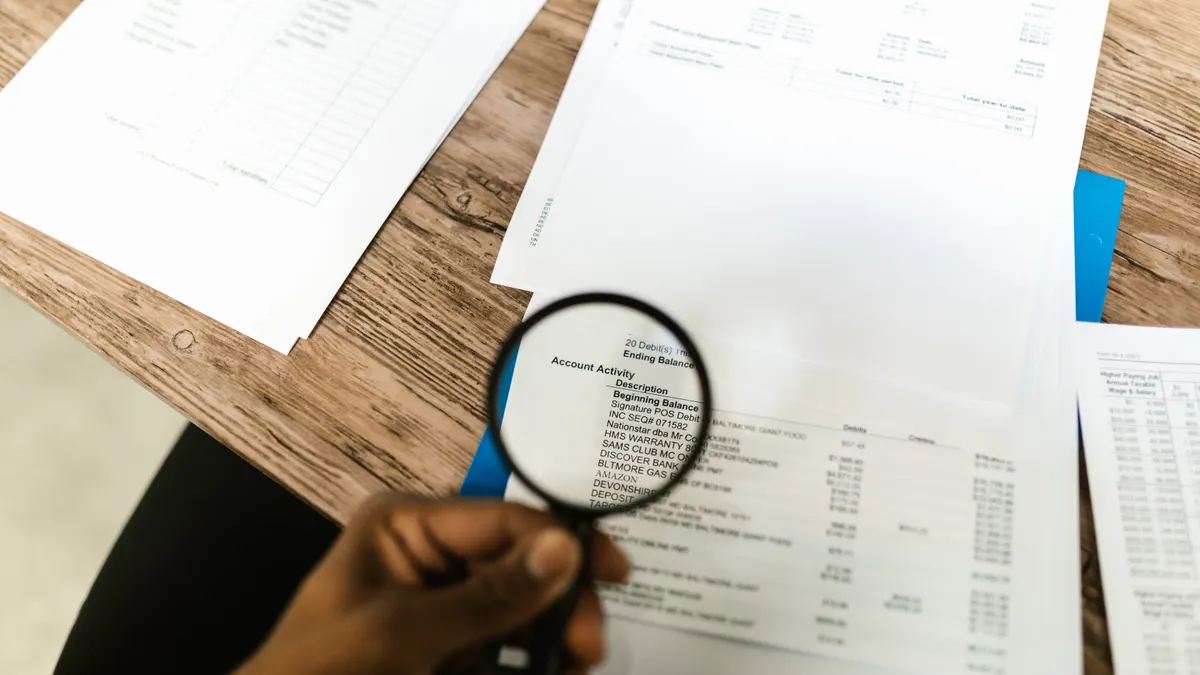
Quick Answer: Pull all 3 credit reports from Experian, Equifax, and TransUnion, then inspect the accounts, inquiries, addresses, and public-record sections for anything you never opened. Someone using your name for a credit card, loan, or utility account? The fastest place to catch it is your credit report. It lists account names, balances, opening dates, and credit inquiries — enough detail to spot many unauthorized accounts before any dispute process begins. For the official free reports, use AnnualCreditReport.com; the FTC explains your rights at Free Credit Reports.
Key takeaways
- Start with a current credit report from each bureau, not a score summary.
- Look for new accounts you do not recognize, then check the opening date, lender name, and balance.
- Scan the inquiries section for hard pulls you never authorized.
- Compare addresses, employers, and public-record entries with your own history.
- Use annualcreditreport.com to get the official free reports, then review all three bureaus: Experian, Equifax, and TransUnion.
- If the report shows something unfamiliar, save a copy before you move on to disputes or fraud-protection steps.
Get the right report first

A full credit report from Experian, Equifax, and TransUnion is what you need, not just a credit score. One number can hint at trouble; the report gives the account-level detail that may reveal an unauthorized account.
The cleanest place to start is annualcreditreport.com, the official site for free annual credit reports. Pull all three reports in the same sitting if you can. Then you can line up the same month across the bureaus and avoid missing an account that shows up on only one file.
Already have a login with Experian, Equifax, or TransUnion? You can use the bureau site to view a report there too. Useful, yes — especially if you want to check more than once in a year. Because each bureau can present the data a little differently, the layout may not match line for line, so read the labels carefully.
Keep a notepad or a spreadsheet open while you work. Record the account name, the date opened, the balance, the last activity date, and the bureau where it appears. A plain list is enough; no special software required.
How do you spot an unauthorized account on a credit report?
Match each listed account against your real history and watch for anything with a lender, opening date, or balance you cannot explain. That sounds obvious. Still, the useful move is the order: review the new accounts section first, then the older open accounts, then closed ones.
Use this 6-step check on each report:
- Scan the “Accounts” or “Trade Lines” section first. Look for any credit card, installment loan, auto loan, mortgage, or retail account you do not recognize. If the report is working as expected, every account should correspond to something you actually opened or co-signed.
- Check the opening date and account type. A report may show a card opened last month or a loan opened 2 years ago. If the date falls outside your memory, flag it. The account type should also make sense; a revolving credit card and a 36-month personal loan are not interchangeable clues.
- Read the creditor name exactly as written. Some lenders use parent company names or servicing names, so a weird-looking label is not automatically fraud. Still, if you have never done business with the company name shown, treat it as suspicious and, if needed, consult a qualified consumer law professional or the FTC’s identity theft guidance before you decide what to do next.
- Compare the balance and payment history. An unauthorized account often has a balance you never spent or a payment pattern you never made. A blank or recent payment history can still be a sign if the account itself is unfamiliar.
- Move to the “Inquiries” section. Look for hard inquiries from lenders, card issuers, or finance companies you never contacted. One hard inquiry can mean someone applied for credit in your name even if the application did not turn into an account.
- Check addresses, employers, and public records. If the report lists an address you have never used, or a recent employer you never had, that mismatch supports a fraud review. Public records should also make sense; a collection entry or judgment with no connection to you deserves a closer look.
When this works, you end up with a short list of questionable items, not a vague feeling that “something looks off.” The goal is to separate a typo from an account you truly never opened.
Which report sections catch account fraud fastest?

The accounts, inquiries, addresses, and public-records sections catch most obvious account fraud faster than the rest of the report. Names, dates, and history live there; those details are what expose a fake account.
Start with the accounts section. That is where you can see the opening date, current balance, payment status, and creditor name. A brand-new account you do not recognize is the strongest red flag. Reviewing a report with 20 or more entries? Use the “newest first” sort if the site provides one. If not, scan for the most recent open date by eye.
Next, check credit inquiries. Hard inquiries matter because they usually happen when someone applies for credit. A hard inquiry from a lender you never contacted is not proof by itself, but it is a clear reason to keep digging. Soft inquiries usually do not affect credit decisions, so focus on hard inquiries unless the report clearly labels something unusual.
After that, review all addresses listed on the report. A previous address can be harmless if you moved. A mailing address you never used, especially one attached to a recent account, is worth flagging. The same is true for employer entries that do not match your work history.
Public records are the last place many people check, but they should not be skipped. Depending on what the report contains, this area can show judgments or other record types tied to identity misuse. If something in public records is unfamiliar, note the exact wording and the bureau that lists it.
This section is not for guessing. If a name looks close to one you know, keep reading the full entry before you decide. Credit reports often contain abbreviations, merged addresses, and lender shorthand that can make a legitimate account look strange at first glance. It can get muddy fast.
What counts as suspicious in the inquiries section?
A hard credit inquiry from a lender or card issuer you did not contact is suspicious, especially if it appeared in the last 30 to 90 days. People skip this section, which is exactly why it matters; it is often the earliest sign that someone tried to open credit in your name.
On your report, look for inquiry entries with the company name, date, and sometimes a category such as mortgage, auto, or credit card. A legitimate inquiry should match something you actually applied for. If you were not shopping for a card, car loan, apartment, or other credit product, the inquiry deserves attention.
Do not confuse hard inquiries with soft inquiries. Soft inquiries can happen during account reviews, preapproved offers, or your own account monitoring, and they usually are not a sign of an unauthorized account. Hard inquiries are the ones to circle first.
One common mistake is focusing only on the account list and ignoring the inquiry list. That costs you time because an inquiry may appear before a new account shows up. Another mistake is assuming that one inquiry proves fraud. It does not. It means the file may have been used to apply for credit, which is enough to keep reviewing the rest of the report.
If the inquiry name is unfamiliar, search your own records first: recent applications, dealership visits, rental applications, or phone quotes for financing. A real application often leaves a paper trail. If no paper trail exists, the inquiry is a problem to track, even if the account itself has not appeared yet.
How to compare Experian, Equifax, and TransUnion without missing a clue
Line up the same account types, dates, and addresses across Experian, Equifax, and TransUnion, then look for differences. One bureau may show an account or inquiry that the others do not, which is exactly why checking only one report can leave a gap.
Use a simple three-column view if you can: one column for each bureau. Under each, list the newest accounts, inquiries, addresses, and any public-record item. A desktop screen helps for side-by-side review, and a printed copy can also work if you prefer marking by hand.
Focus on mismatches. If only one bureau lists a new card account, that still matters. If all three list the same account but one shows an opening date that is a month earlier, that difference may help you figure out when the account first appeared. If an address is on one report but not the others, that can point to where the file was updated.
The reports will not always match perfectly. Lenders report data on different schedules, and bureaus do not always update on the same day. That delay can hide a recent unauthorized account on one file while another bureau already shows it.
A second mistake is stopping after the first suspicious item. A fraudulent account often comes with an inquiry, a new address, or a second account opened around the same time. Look for the pattern, not just the first bad line.
If you want a deeper clean-up later, the hub on fraud alerts and credit freezes is the right next step. This page stays on the review process itself so you can identify what is wrong before you take action. For official guidance on freezing your file, see the FTC’s Credit Freezes and Fraud Alerts and the CFPB’s Credit reports and scores page.
What should you do with the report once you find something?
Save the report exactly as it appears, then mark the suspicious entries so you can use the details later. Do not edit the report file itself; keep a clean copy and make notes separately.
Save or print the report with the date visible if possible. If the report is online, download the PDF or use the site’s print function. A 1-page screenshot is not enough if the report spans multiple pages, because you need the account details, inquiry details, and address history together.
For each suspicious item, write down four facts: bureau name, account or inquiry name, date, and section. That is enough to make the next step easier, whether you are speaking with a lender, the bureau, or a fraud specialist. If the item is a public-record entry, copy the exact wording; that language matters.
Do not wait to create a clean record. Credit reports change, and an item can move, update, or disappear on its own. That dated copy gives you a stable reference point.
This is also where you should decide whether the item is truly unauthorized or just unfamiliar. A creditor name may be a parent company, a servicing company, or a merchant processor you know under a different name. If the details still do not match anything in your records, treat it as suspicious and, if needed, consult a qualified consumer law professional or the FTC’s identity theft resources before you move to the appropriate fraud or dispute page.
Common mistakes that hide unauthorized accounts
The most common mistakes are checking only one bureau, skipping the inquiries section, and assuming a strange creditor name must be fraud. Those mistakes can leave a real unauthorized account sitting in your file for weeks or months.
A single-bureau check is the weakest approach because each bureau can show different data. If the unauthorized account only appears on one report, you will miss it if you stop early. The fix is simple: review Experian, Equifax, and TransUnion in one sitting whenever possible.
Skipping the inquiries section costs you the earliest clue. An inquiry can show up before the account, especially if someone applied for credit and the lender declined or has not finished reporting. Always check inquiries even if the account list looks clean.
Another mistake is reading the report too quickly. People often scan for names they know and miss the date or account type. A credit card opened 3 days after a change of address is more informative than the name alone. Slow down long enough to match date, balance, and creditor.
Finally, do not use a credit score app as a substitute for the report. Scores can tell you that something changed, but they usually do not tell you what changed. The report is the document that shows the actual account.
When a careful review is enough — and when it is not
A careful review is enough when you are only trying to identify suspicious entries, not resolve them. That keeps this page focused on the report itself, which is the correct first step before any dispute or recovery process.
If the report is clean, you are done for now: save the copies and check again on your normal review schedule. If the report shows a questionable account, inquiry, address, or public-record entry, you now have the exact details you need for the next step on the fraud-protection path.
Looking at a report because money is missing, bills are piling up, or a lender is already contacting you? Review it carefully, but do not try to handle every consequence from the report alone. That starts to move into dispute and recovery territory, which belongs on another page. A person in that situation may want help from a qualified financial professional or consumer law attorney, especially if the report includes collections, judgments, or a mortgage-related entry.
The limit of this page is deliberate: it helps you detect unauthorized accounts on the report, not solve every problem they create.
How often should I check my credit report?
Check it at least once a year from each bureau, and more often if you are applying for credit, moving, or sorting through suspicious activity. Annualcreditreport.com is the official place to get free reports, and many people spread the three bureau checks across the year so they are not looking at everything only once.
What counts as an unauthorized account?
An unauthorized account is any credit account you did not open, did not apply for, and did not allow someone else to open for you. That includes credit cards, installment loans, and some retail financing accounts. If the creditor name, opening date, or balance does not fit your history, treat it as suspicious and keep reviewing the report.
Where do I get my credit reports?
You can get your credit reports from annualcreditreport.com, which is the official site for free annual reports. You can also view reports through Experian, Equifax, and TransUnion if you have an account with those bureaus. The important part is to get the full report, not a score summary, so you can inspect accounts, inquiries, addresses, and public records.
Drafted with AI; not yet reviewed by a person.